The HSA and FSA app for iPhone.
Scan a barcode, snap the box, or share a product link, and see whether your HSA or FSA can pay for it. Then turn the receipt into a claim that’s ready to send.

- Free to download
- Try it without an account
- iPhone
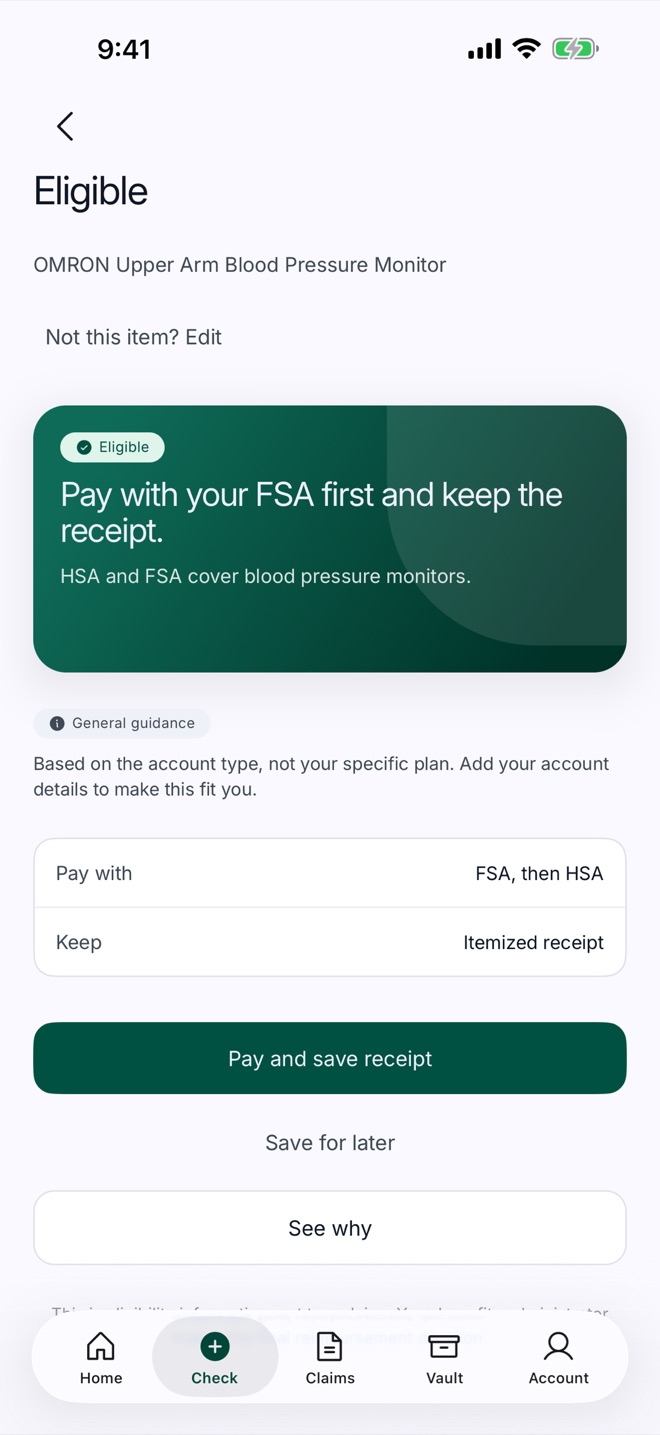
Five ways to ask. One clear answer.
In the store or on the couch, Nodal tells you whether an item may qualify, what to keep for it, and why. Some items need more, like a prescription or a note from your doctor. Nodal tells you up front, so there are no surprises at claim time.
- Scan a barcode Point the camera at the barcode on the package.
- Take a photo Snap the front of the box or its label.
- Share a link Share a product page to Nodal from Safari or a store’s app, or paste the link.
- Upload a screenshot Pick a product screenshot from your photos.
- Type the name Tell Nodal what the item is.
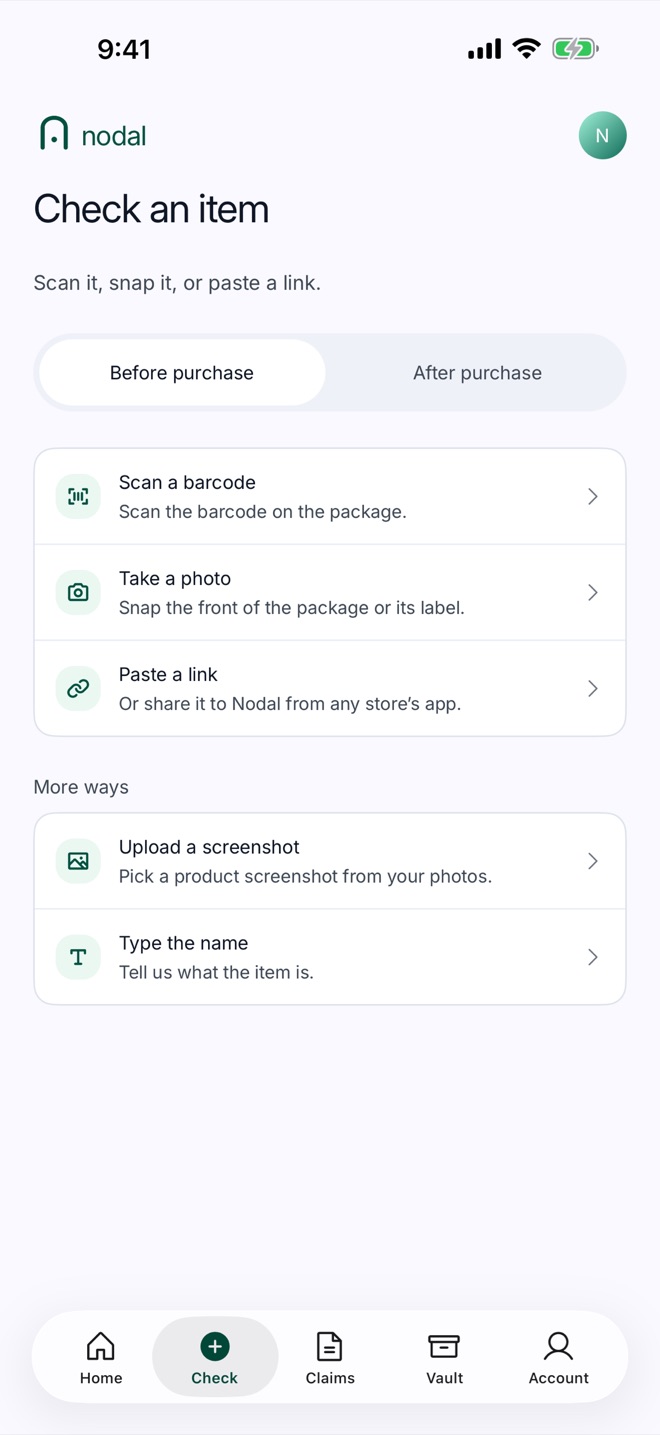
Five answers, in plain language.
The app uses the same five words as the Chrome extension, so an answer means the same thing wherever you see it.
- Eligible
- IRS rules treat the item as a medical expense. Keep the itemized receipt.
- Likely eligible
- Strong evidence, but not a definitive call. Keep the receipt and confirm with your benefits administrator.
- LMN required
- Qualifies only with a Letter of Medical Necessity from your own provider that ties it to a diagnosed condition.
- Not eligible
- IRS rules don’t treat the item as a medical expense.
- Needs more info
- There isn’t enough to decide. Check the details with your benefits administrator.
From receipt to ready-to-send.
Nodal does the paperwork part: it reads the receipt, finds what counts, and puts together what your administrator usually asks for.
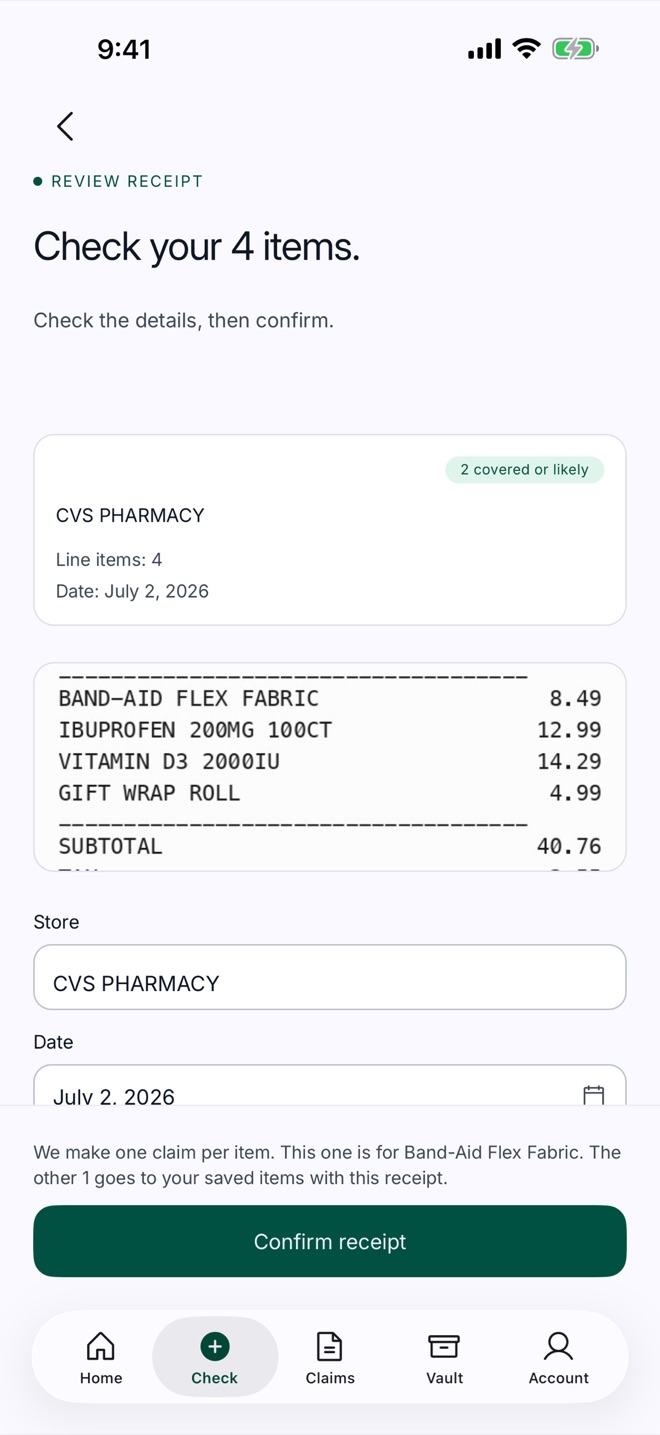
-
Photograph the receipt
Or upload a PDF. Nodal reads it on your phone, lists each line, and marks the ones that can count.
-
Confirm the details
Check the store, date and amount. For visits and services, answer one question about what it was for.
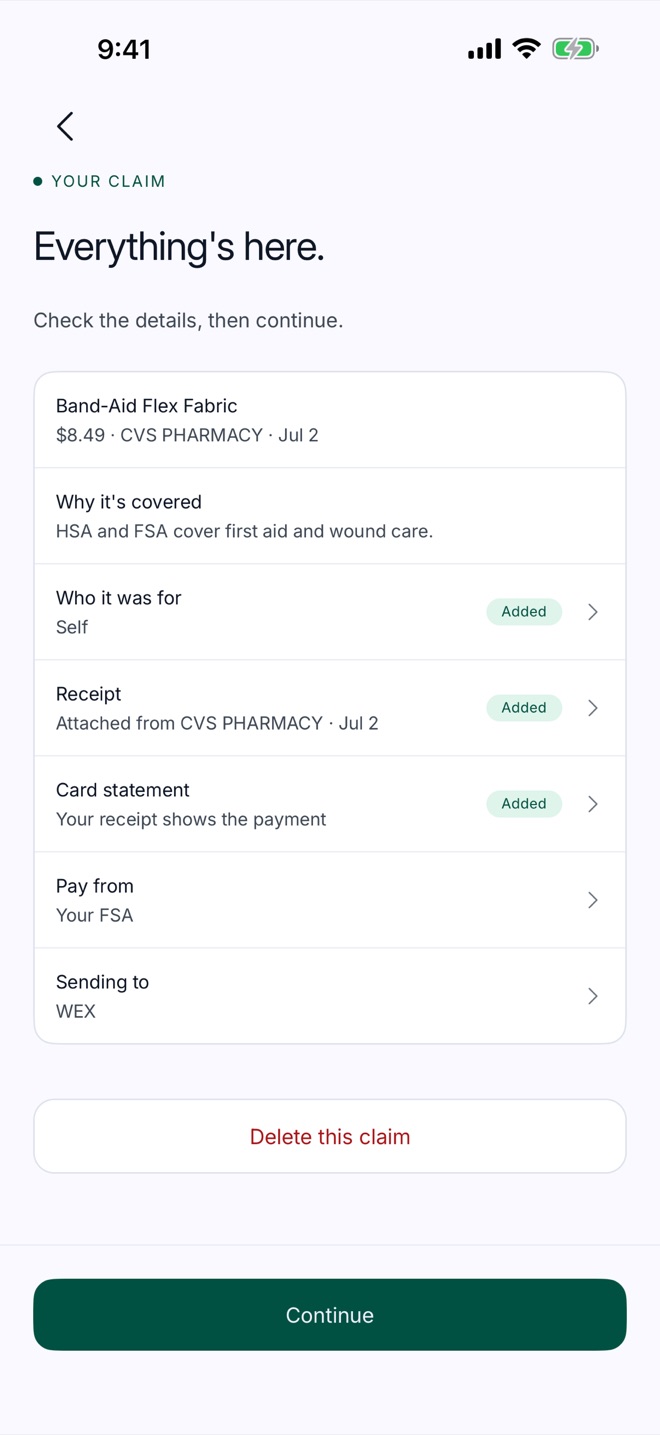
-
Send it in
Nodal assembles the claim with the receipt and the documents your administrator usually asks for, ready to send through your benefits administrator’s portal.
-
Reminders that matter
A nudge to check on a claim you sent, and another before your FSA’s use-it-or-lose-it deadline. Not sure when yours is? Try the FSA deadline calculator.
-
Follow-ups, handled
Record what your administrator decided. If they ask for more, Nodal helps you build the follow-up.
-
One place for the paperwork
Receipts and claim documents stay together in your Vault, on your phone.
Shopping on a computer? Add the Chrome extension.
The free Nodal extension checks product pages while you shop online, before you buy. Sign in to both, and the items you check in Chrome show up in the app, ready for the receipt.
Your benefits, your call.
Nodal gives general guidance based on IRS rules for the item, not your specific plan. It isn’t tax, legal, or medical advice, and your benefits administrator makes the final decision on every claim.
Read the privacy policy-
Receipts are read on your phone.
Nodal reads a receipt on the device first. Lock the app with Face ID, and delete your data or your whole account from the app at any time.
-
It shows its reasoning.
Every answer says why, grounded in IRS Publication 502 and Section 213(d) of the Internal Revenue Code, the same authorities a benefits administrator uses.
-
You stay in charge.
Nodal prepares the claim; you decide whether to send it. It doesn’t file claims, move money, or contact your administrator for you.
Questions people ask.
Something else? Visit Support or email hello@nodalhealth.ai.
Last updated .
Is the Nodal app free?
Nodal is free to download. Every Nodal account includes five eligibility checks and one claim, and you can try three checks without an account. Nodal Premium, a yearly subscription sold through the App Store, removes those limits. The app shows the price before you confirm, and you can cancel any time in your Apple Account settings.
Do I need an account?
No. Open the app and check an item right away. Sign in with Apple, Google, or email to keep your history, save claims, and see the items you checked in the Nodal Chrome extension.
How do I check if something is HSA or FSA eligible?
In the app, tap Check, then scan the barcode, take a photo of the box, share or paste a product link, upload a screenshot, or type the name. Nodal tells you whether the item may qualify, what you usually need to keep for it, and why.
Does Nodal submit my claim?
No. Nodal prepares the claim: the receipt, the amount, and the documents your administrator usually asks for. You send it through your benefits administrator’s portal, and your administrator makes the final decision.
Does a Nodal answer guarantee I’ll be reimbursed?
No. Nodal gives eligibility information based on IRS rules for the item, not your specific plan, and it isn’t tax or medical advice. Your plan and benefits administrator make the final reimbursement decision. Keep itemized receipts for anything you pay for with HSA or FSA funds.
Does it work with HRA and ICHRA plans?
Partly. Nodal answers the IRS question, which is the same for HSAs and FSAs. HRA and ICHRA plans add your employer’s plan document, which decides which expenses the plan covers. Treat a Nodal answer as a starting point and confirm covered expenses with your benefits administrator.
Is Nodal available on Android or iPad?
Nodal is an iPhone app. On a computer, the free Nodal Chrome extension checks product pages while you shop online, and signing in to both keeps your items in one list.
What happens to my receipts and photos?
Nodal reads a receipt on your phone first. When you check an item, the app sends what identifies the product (the name, the product link, or the text read from the label) to Nodal for the look-up; it is read to answer you and is not kept. Nodal doesn’t sell your data or run ads. The privacy policy has the details.
How do I delete my data or my account?
In the app, open Account, then Privacy and data. Delete all my data clears your phone; Delete my account removes your account and the data Nodal keeps on its servers. You can also export your data there.
Know before you spend.
Download Nodal for iPhone and find out whether your HSA or FSA can pay, then send the claim with everything it needs.